If you need to show a semi-transparent image, use the opacity argument with AlwaysStoppedAnimation rather than adding a parent Opacity widget.
According to the docs, Opacity could apply the opacity to a group of widgets and therefore a costly offscreen buffer will be used.
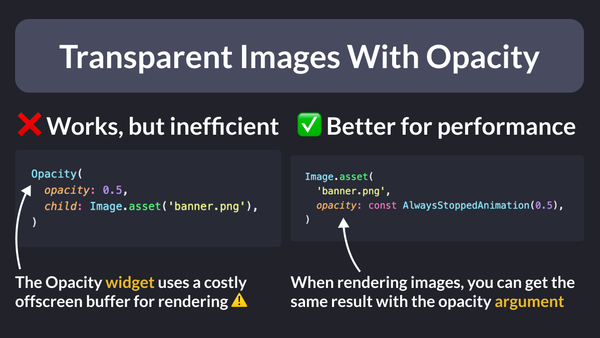
// ❌ Works, but inefficient
// Opacity uses a (costly) offscreen buffer for rendering ⚠️
Opacity(
  opacity: 0.5,
  child: Image.asset('assets/banner.png'),
)

// ✅ Better for performance
Image.asset(
  'banner.png',
  opacity: const AlwaysStoppedAnimation(0.5),
)
Note: the Image class also has color and colorBlendMode arguments that can be used to apply custom color filters:
// Same result as above
Image.asset(
  'assets/banner.png',
  color: Colors.white.withOpacity(0.5),
  colorBlendMode: BlendMode.modulate,
)
To learn more about the Opacity widget and its alternatives, read the official docs:
Happy coding!