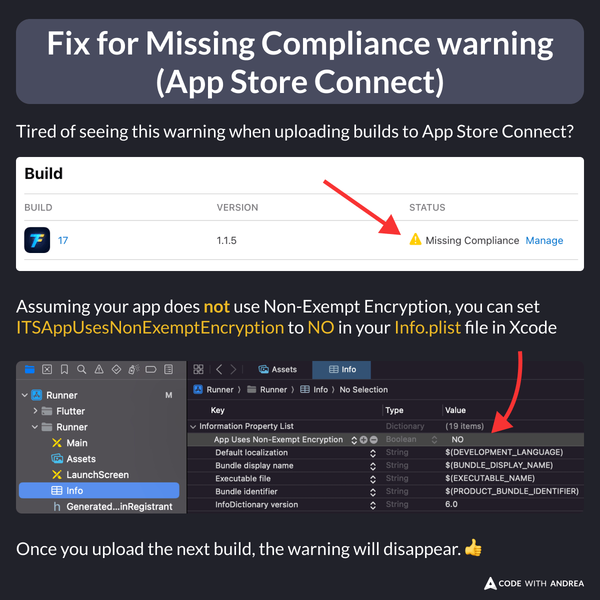
Tired of seeing the “Missing Compliance” warning when uploading builds to App Store Connect?
If your app does not use Non-Exempt Encryption, set ITSAppUsesNonExemptEncryption to NO in your Info.plist file in Xcode.
Upload your next build, and the warning will disappear. 👍
For more details, read:
My latest course, Flutter in Production, covers the entire iOS app release process in detail—from joining the Apple Developer Program to submitting your app for review.
Here’s a free lesson to get started:
Happy coding!