Did you know?
--dart-define-from-file supports both .env and json files.
Here’s how to use it for each variant:
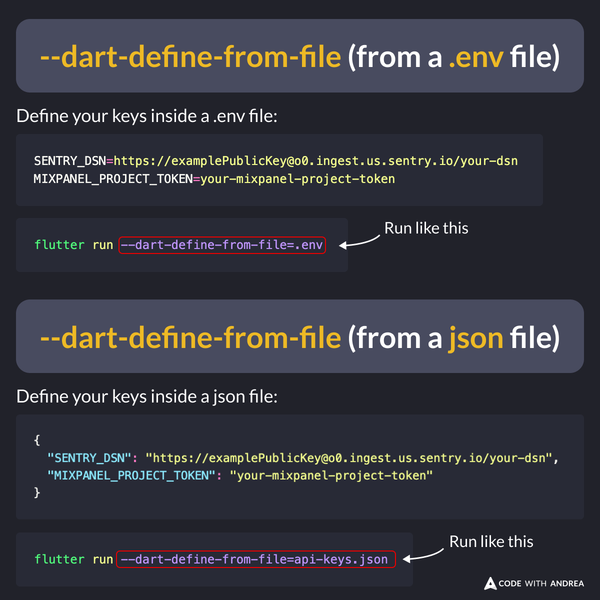
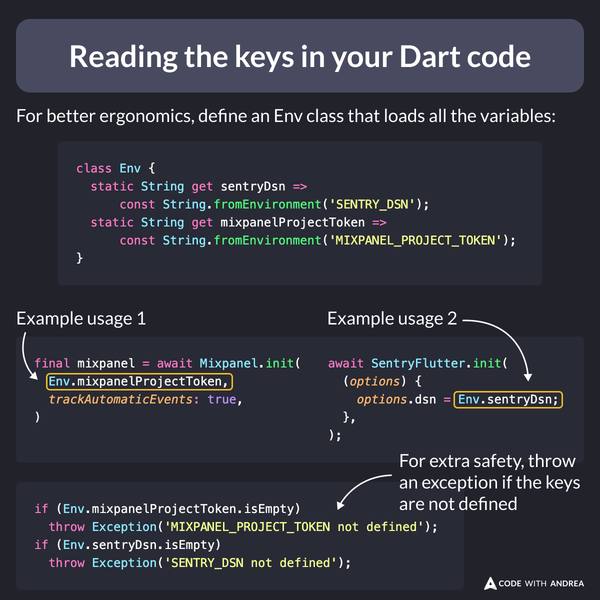
Then, you can use String.fromEnvironment to read the keys in your Dart code.
For convenience, define an Env class that holds all the keys in one place. This makes it easier to use them.
Extra tip: when your app starts, throw an exception if the keys are not defined (this will help you catch any configuration errors):
For a more in-depth guide about API keys in Flutter, read:
Happy coding!