Did you know?
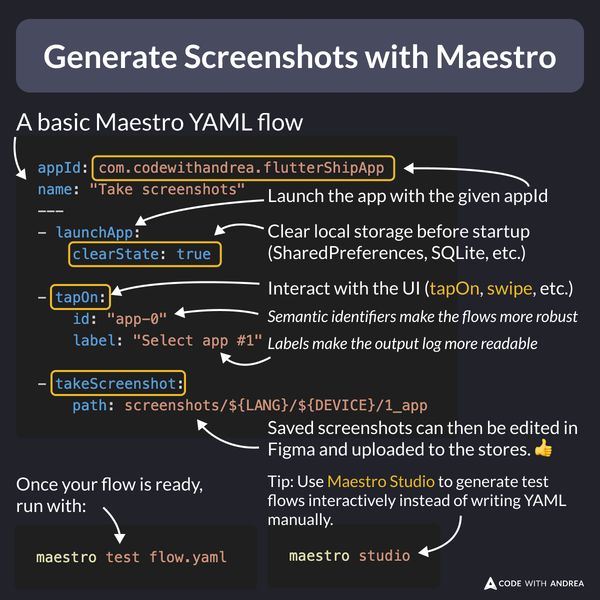
Instead of taking screenshots manually for each device & language, you can automate it with Maestro!
Here’s a video preview:
How to use this in practice?
Simply write a YAML file to define how Maestro should interact with your app UI and call takeScreenshot as needed.
Super easy—no test harness required! 🚀
Getting Started
To get started, check the official docs:
Flutter in Production course
My latest course includes a whole module about screenshot automation, covering:
- ✅ Tips for better screenshots
- ✅ Capturing screenshots with Maestro
- ✅ Editing them with Figma
- ✅ Uploading to the stores with Fastlane (locally & on CI)
Learn more here: